

Cashless menu give you all the functions related to credit card or membership card.
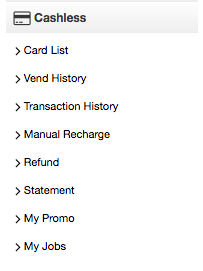
Card List: this function allows you add or delete loyalty cards to or from your system.
Vend History: This function allows you to see your credit card and loyalty transactions either for the day or over a date range that you may choose.
Transaction History: allows you to choose a card and view the cards history and details the number of times used along with a dollar value spent on that card.
Manual Recharge: This function allows you recharge cards from your card list
Statement: Statements are created between 1am and 3am after the system receives the banking transactions and collates your equipment information into both a Excel file or a PDF file. These files are able to be opened and viewed and are stored indefinitely on the system.
My Promo: This feature allows you to do your own promotions using the card system.
My Jobs: This feature allows you to run an inventory for a specific job and will continually keep track of the items used for a specific job.