Logo

What are you looking for?

Get help straight from our team...

IDENTIFY APPLE/ANDROID PAY TRANSACTIONS IN YOUR CIRCUMTEC VEND HISTORY

FAQs

IDENTIFY APPLE/ANDROID PAY TRANSACTIONS IN YOUR CIRCUMTEC VEND HISTORY

The purpose of this article is to inform customers how to obtain their receipt after making a payment using a mobile device. Typically, receipts can be obtained for orders paid with Apple Pay or Android Pay. However, due to the built-in security features of mobile devices, our system cannot retrieve your actual card number. Instead, the mobile device generates a virtual card number. This is the reason why many people are unable to successfully download their receipts. Next, please follow our steps to obtain the virtual card number.

Last updated on 25 Jun, 2024


1: How to find a Virtual Card number in Apple Pay?

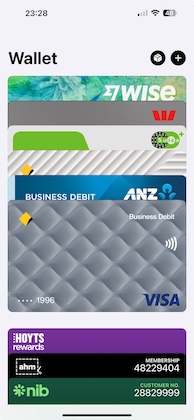
Step 1: Access the Apple Wallet App on your iPhone.

ImageImage

Step 2: After selecting the card you used to make the purchase, click the "..." button (the circle) at the top right. Then select "Card Number".
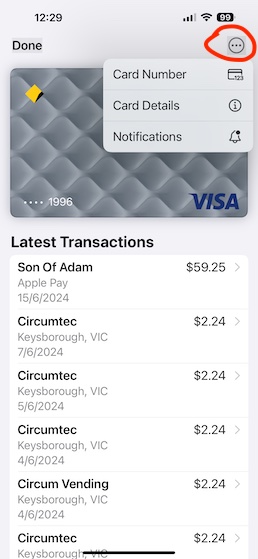
 

Image

Step 3: The last four digits of the virtual card number (Device Account Number) can be found here.
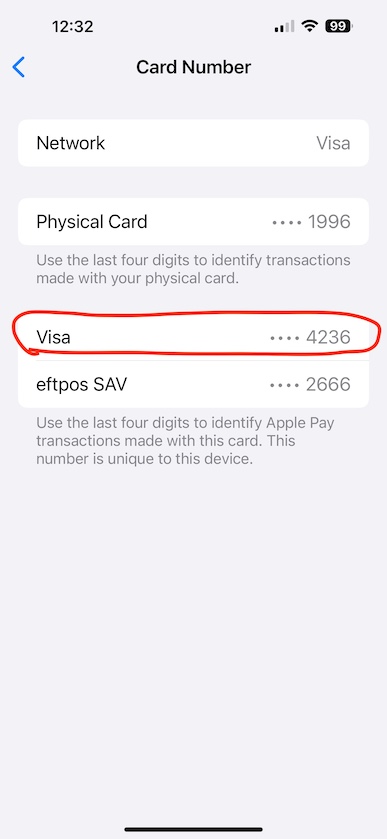
 

Image

2: How to find a Virtual Card number in Android Pay?

Step 1: Open "Wallet" or "Google Wallet" on your Android phone.
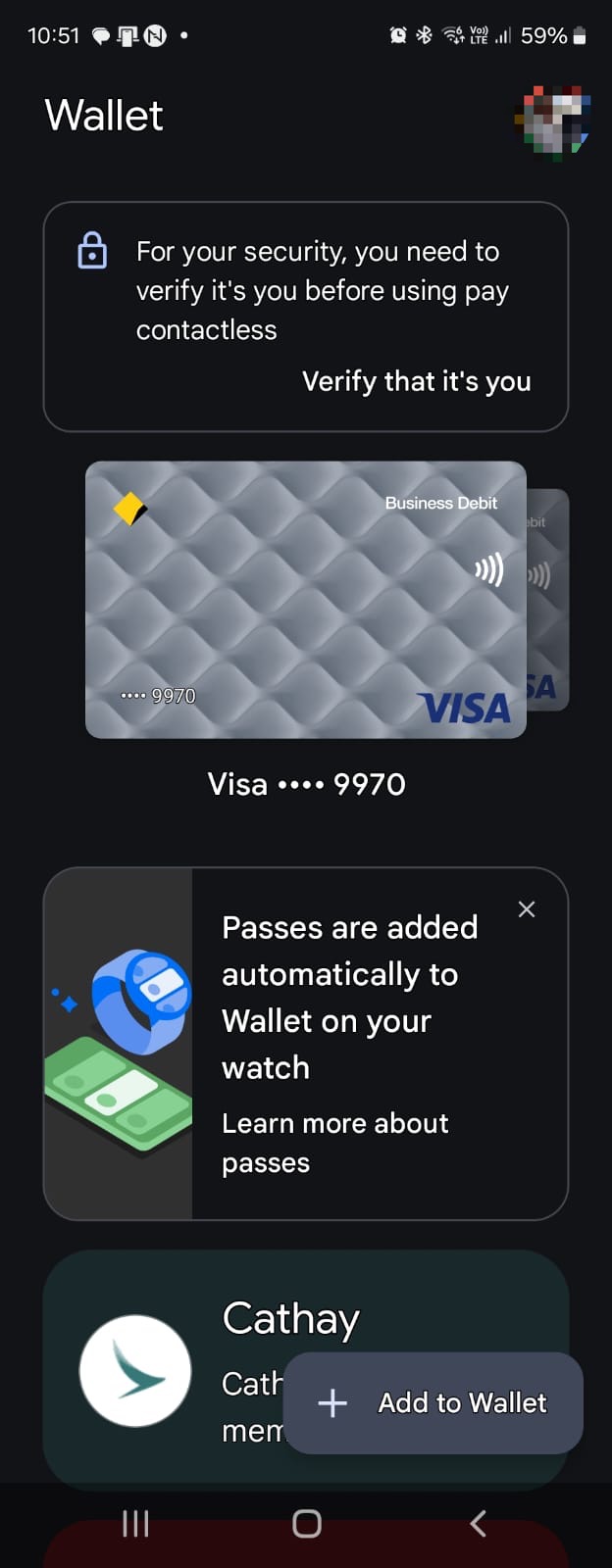
Image

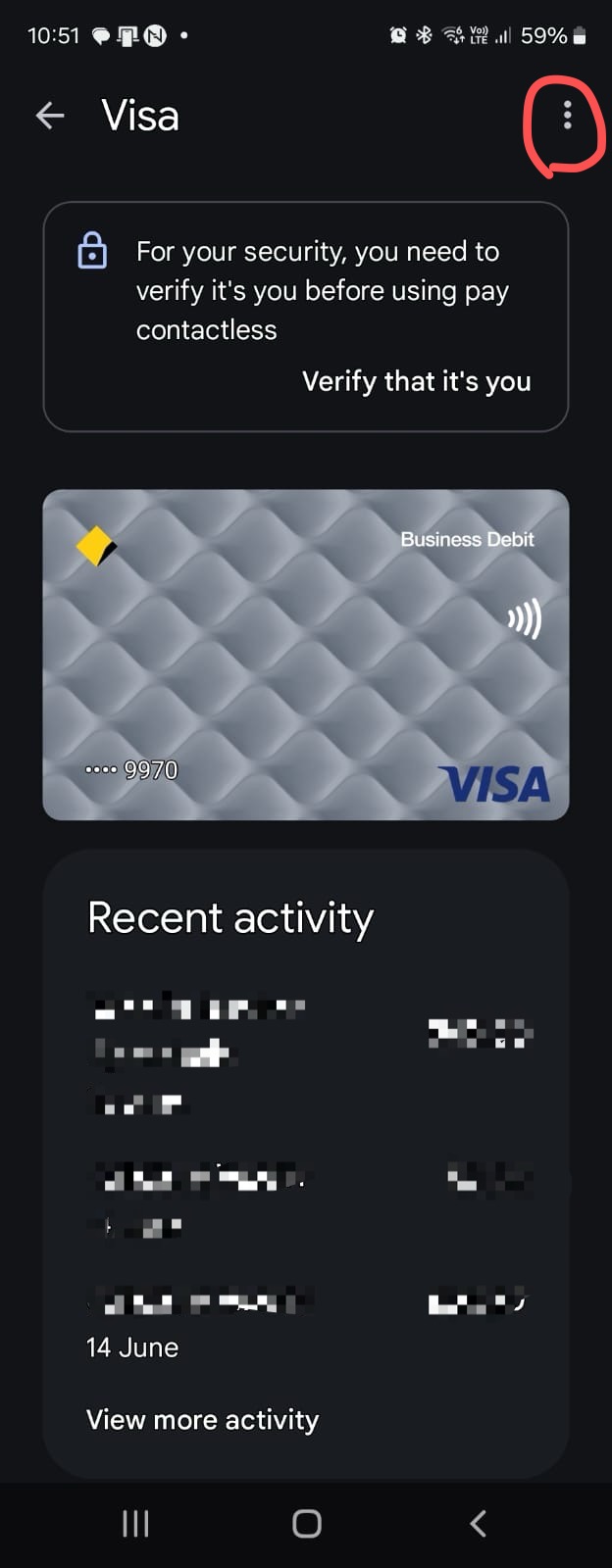
Step 2: After selecting the card you used to make the purchase, click the "..." button at the top right.
Image


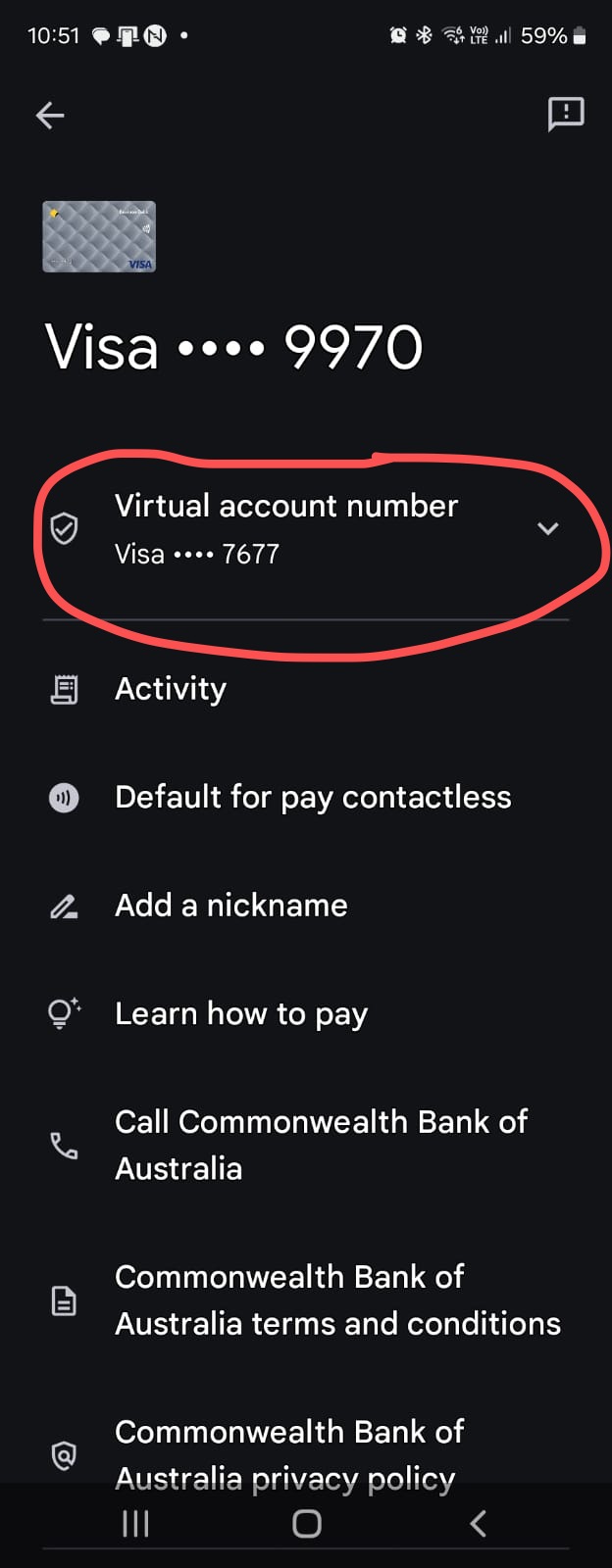
Step 3: The last four digits of the virtual card number (Device Account Number) can be found here.
Image

3: Get my Receipt on VMMS

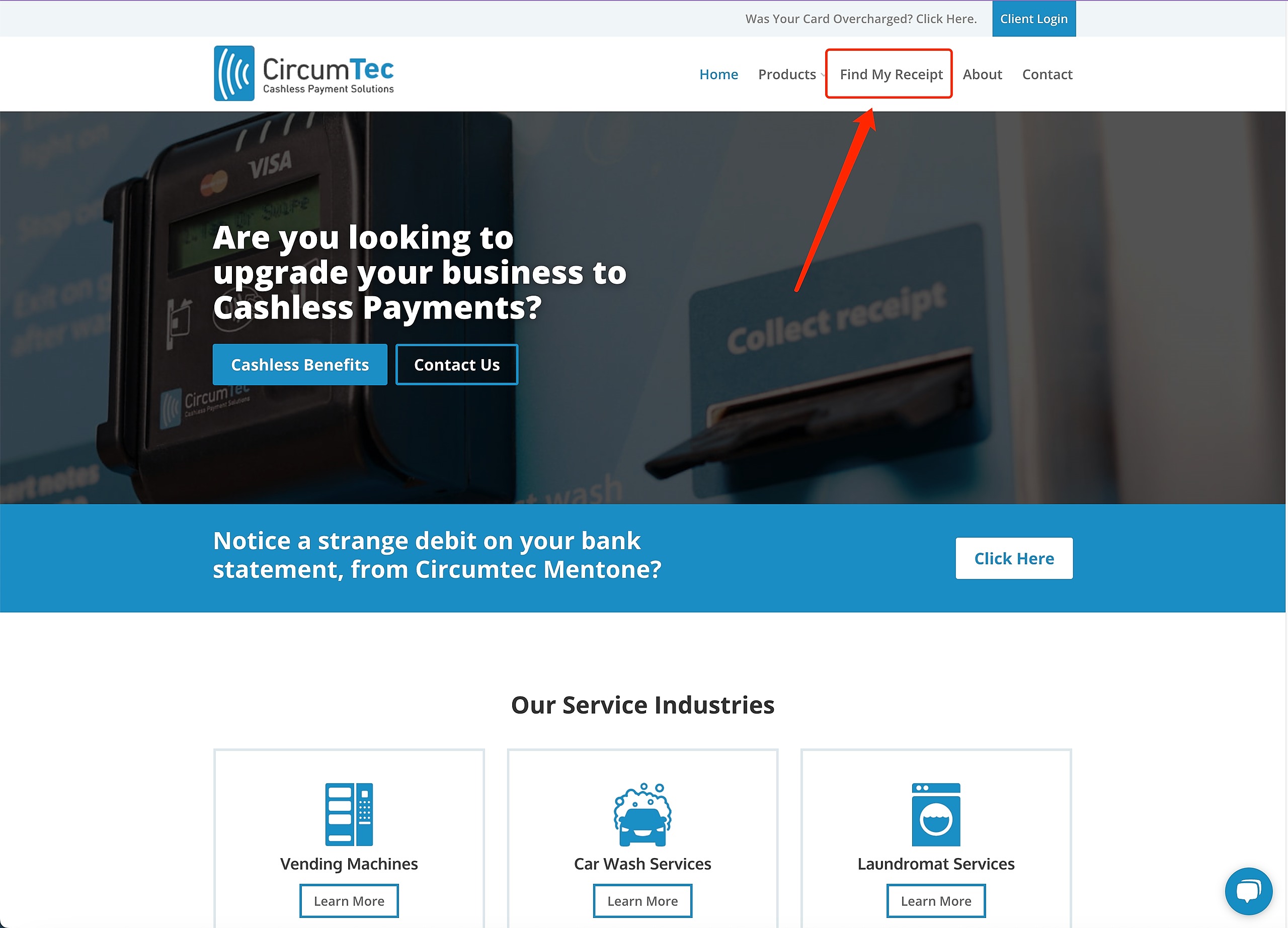
Step 1: go to our website https://circumtec.com.au/

Click "Find My Receipt"
Image


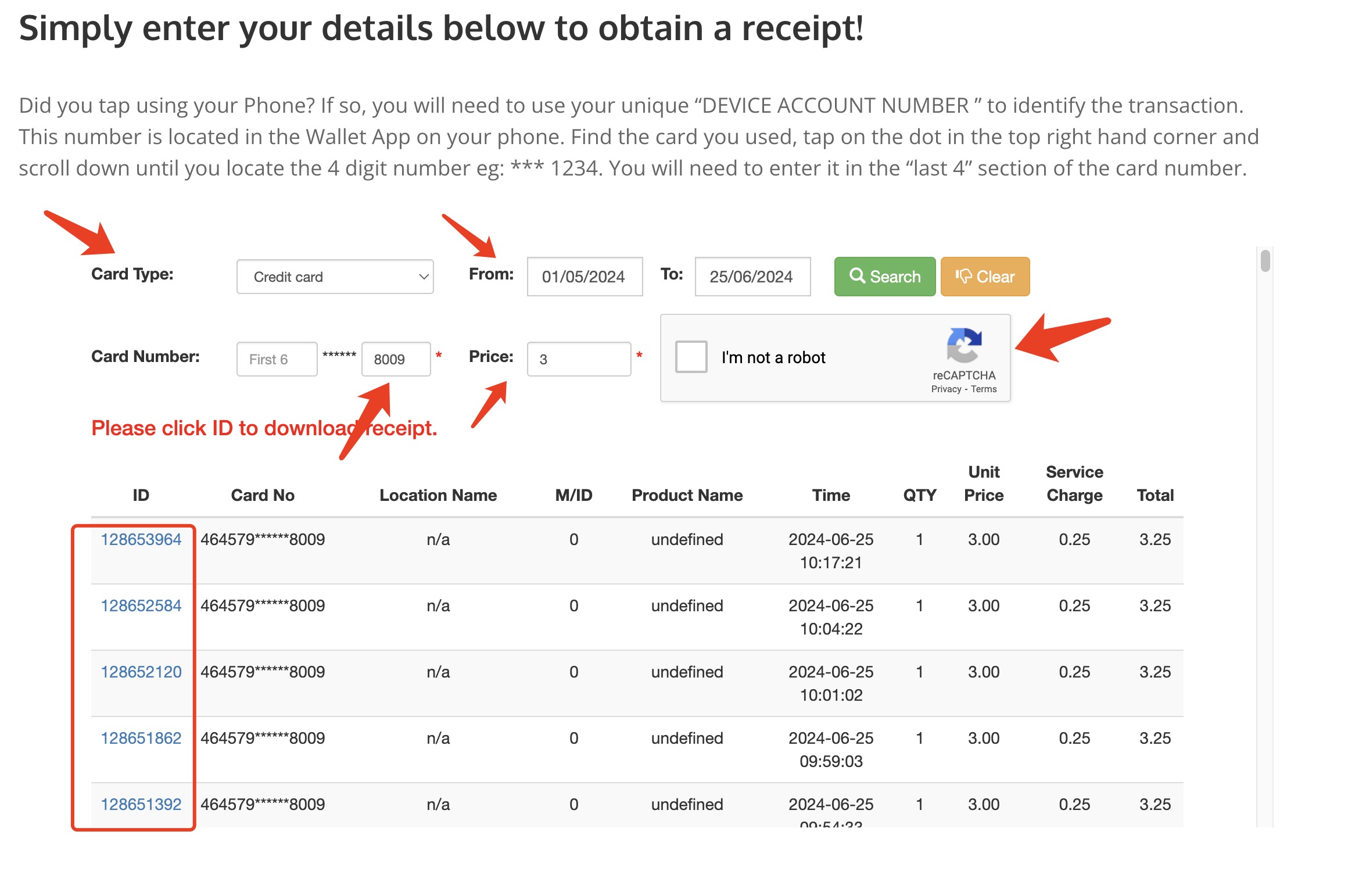
Step 2: Simply enter the details of the transaction, then find your receipt and download it! You only need to enter the last 4 digits of your virtual card number!
Image
Did you find this article helpful?
Previous

Why does my mobile payment fail?

Next