

1. Identifying Your Application
To determine which application your card reader is using, consider the following:
If your PAX card reader communicates with the host system using the MDB protocol, it is running VendLink-VM. See Section 2.1 for instructions.
If your machine communicates using the Pulse protocol, it may be using either VendLink-PULSE or Circumvend. Refer to Section 2.2 and Section 2.3 for further identification.
2. Returning to the Home Screen
2.1 VendLink-VM
How to Identify VendLink-VM:
Your card reader is running VendLink-VM if:
✅ It is used for vending machines or any MDB protocol devices.
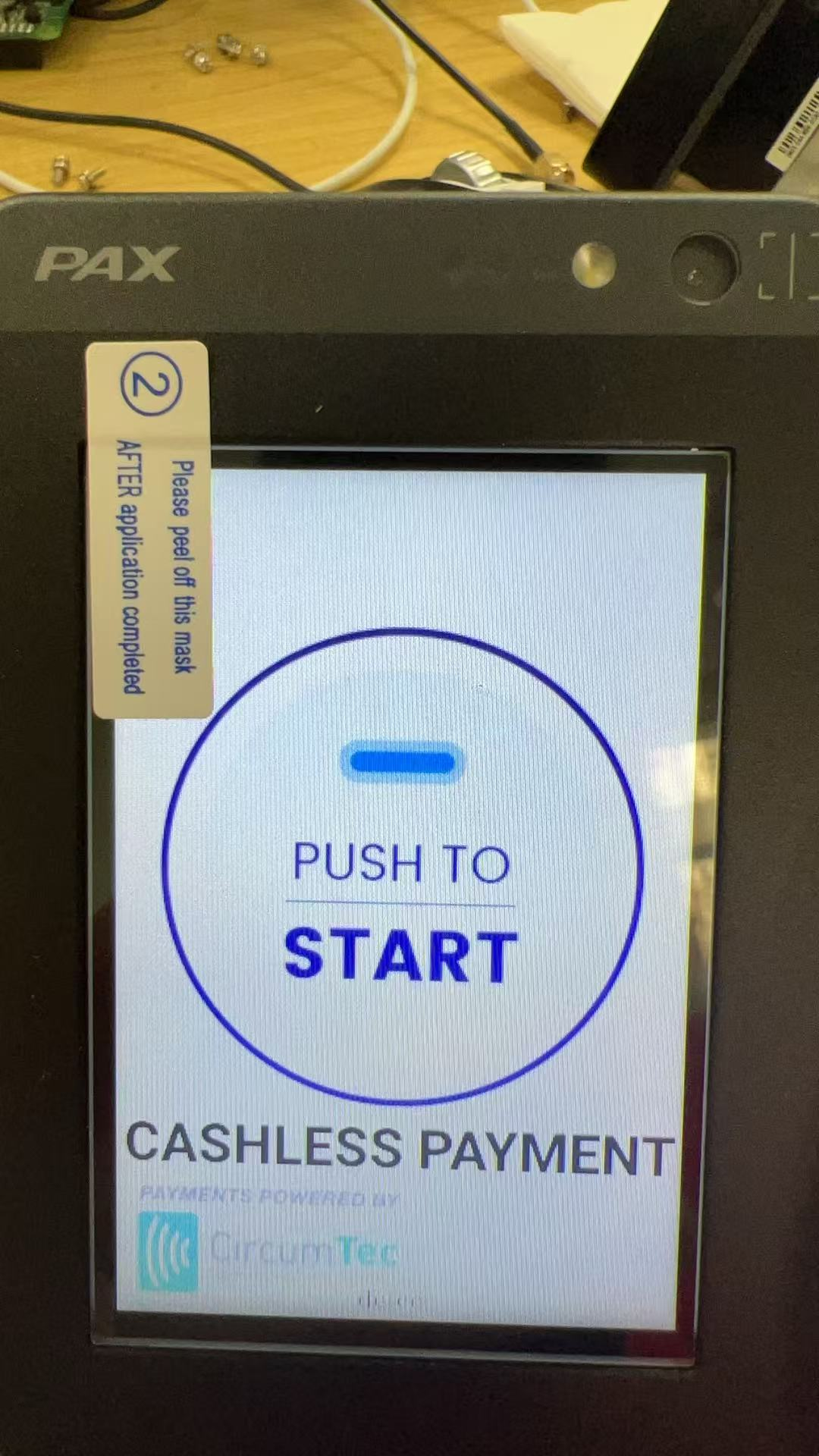
✅ The screen displays a "Push to Start" button (see example below).
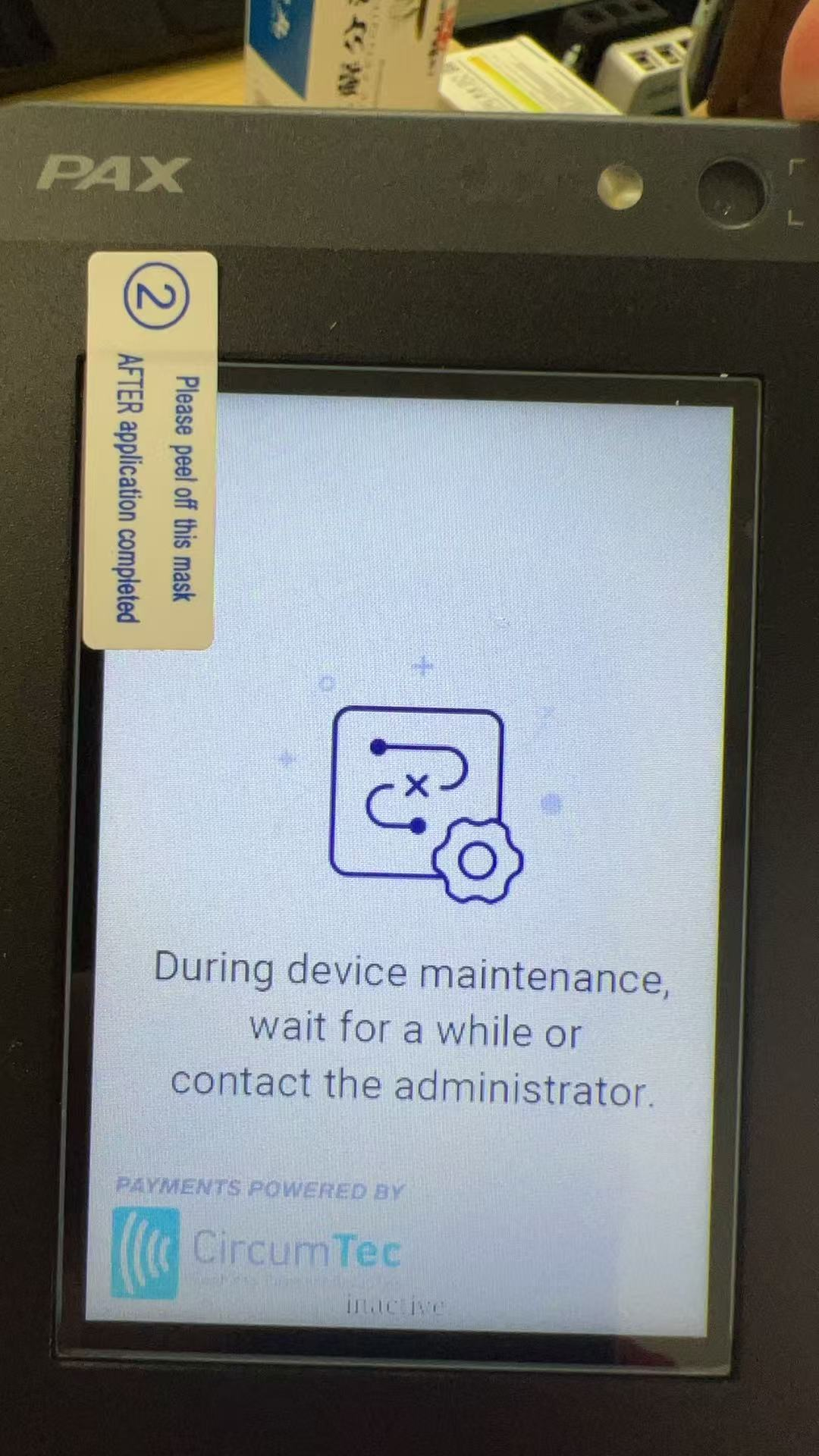
✅ The screen shows “During device maintenance” (see example below).
How to Exit VendLink-VM:
Tap the top-right corner of the screen six times in a row.
A password prompt will appear.
Enter the password: 123450, then tap "Confirm".
Watch the demonstration video here:
https://youtube.com/shorts/LSoCylud8L4?feature=share
2.2 Circumvend
How to Identify Circumvend:
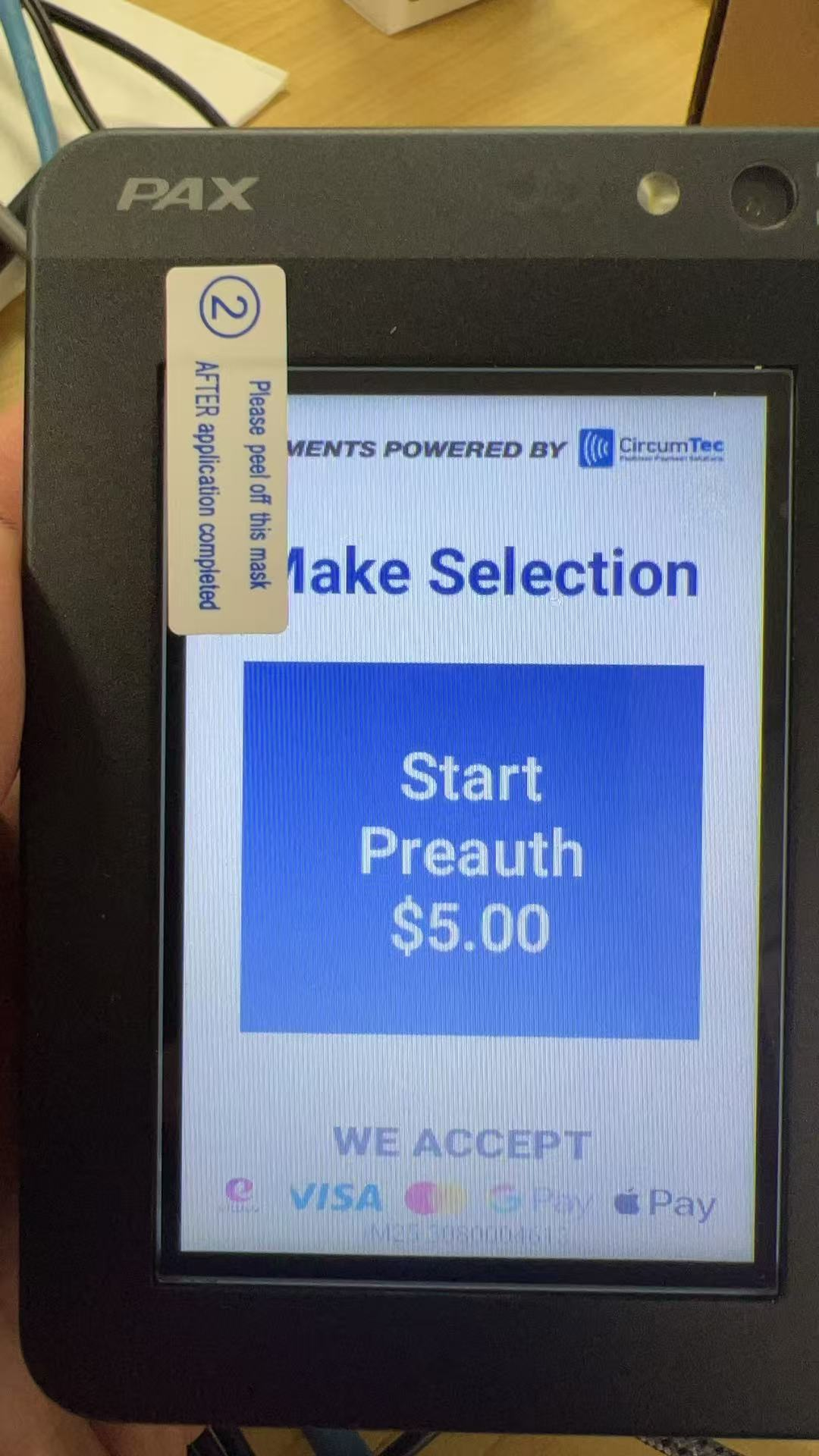
Your card reader is running Circumvend if:
✅ It is used in Pulse Kiosk mode.
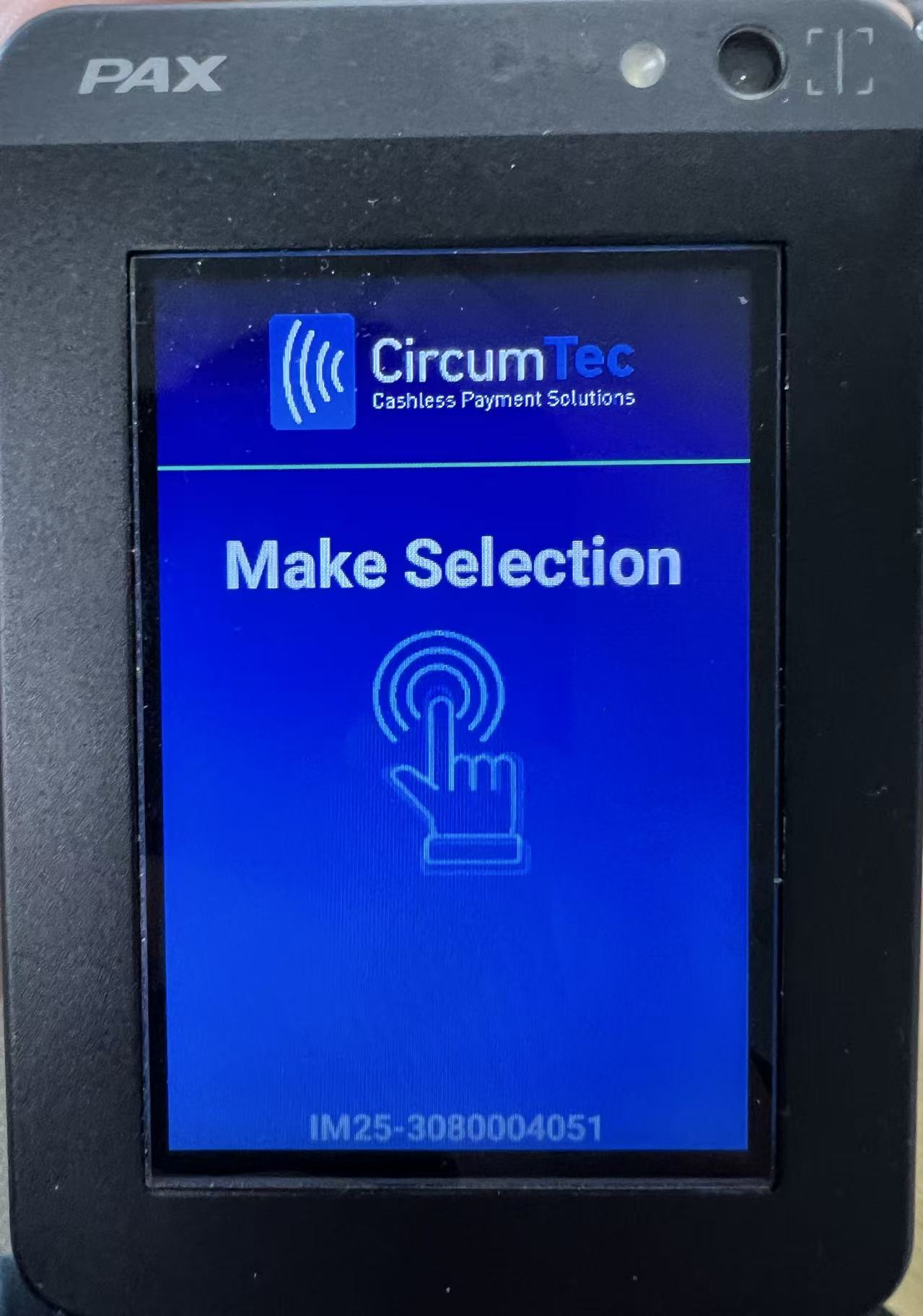
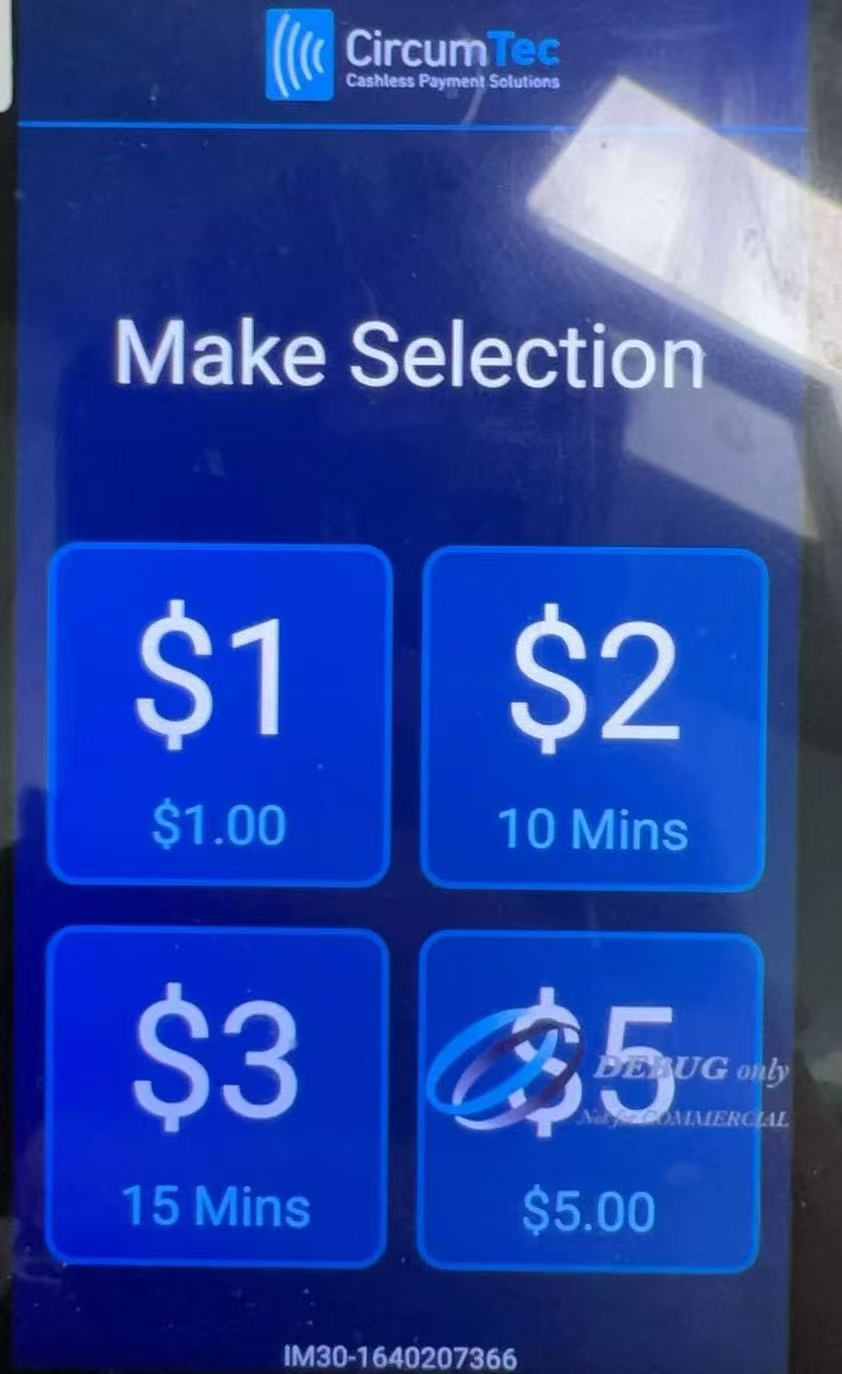
✅ The screen layout is similar to the image below, with the CircumTec logo displayed in the top-right corner.
(Note: The number of options may vary.)
How to Exit Circumvend:
Tap the top-right corner of the screen six times in a row.
A password prompt will appear.
Enter the password:
If no changes have been made in VMMS, use the default password: 19731.
If a custom password has been set in VMMS, enter the configured password.
Tap "Close App" to exit.
Watch the demonstration video here
(Note: The password shown in the video may differ. Please try the default password or your custom configuration.)
https://youtube.com/shorts/R86SyXalhn0?feature=share
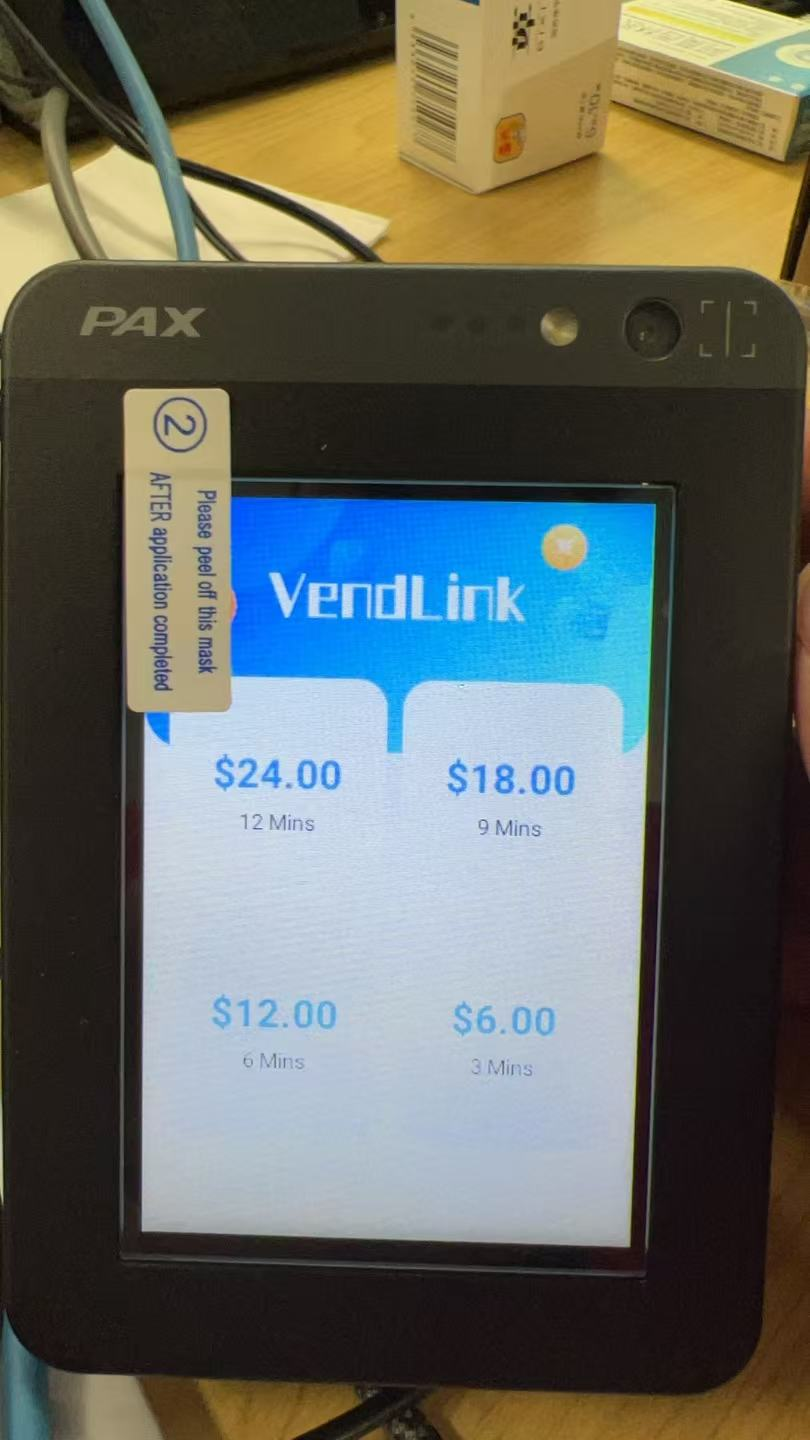
2.3 VendLink-PULSE
How to Identify VendLink-PULSE:
Your card reader is running VendLink-PULSE if its screen resembles the example below.
How to Exit VendLink-PULSE:
Tap the top-right corner of the screen six times in a row.
Enter the password: 123450.
Watch the demonstration video here
https://youtube.com/shorts/wGFFP8nfEy8?feature=share
3. Additional Support
If you encounter any issues exiting the application or need further assistance, please contact CircumTec Support.